Role
Founding product designer. End-to-end IC, sole designer for 11 months.
Zenskar is a billing and revenue recognition platform for usage-based SaaS. When I joined as founding designer, pilots were getting sandbox access and disappearing before generating a single invoice. The brief was better UX. The real problem was that the product assumed users would read the docs. I rebuilt the experience from the mental model out.
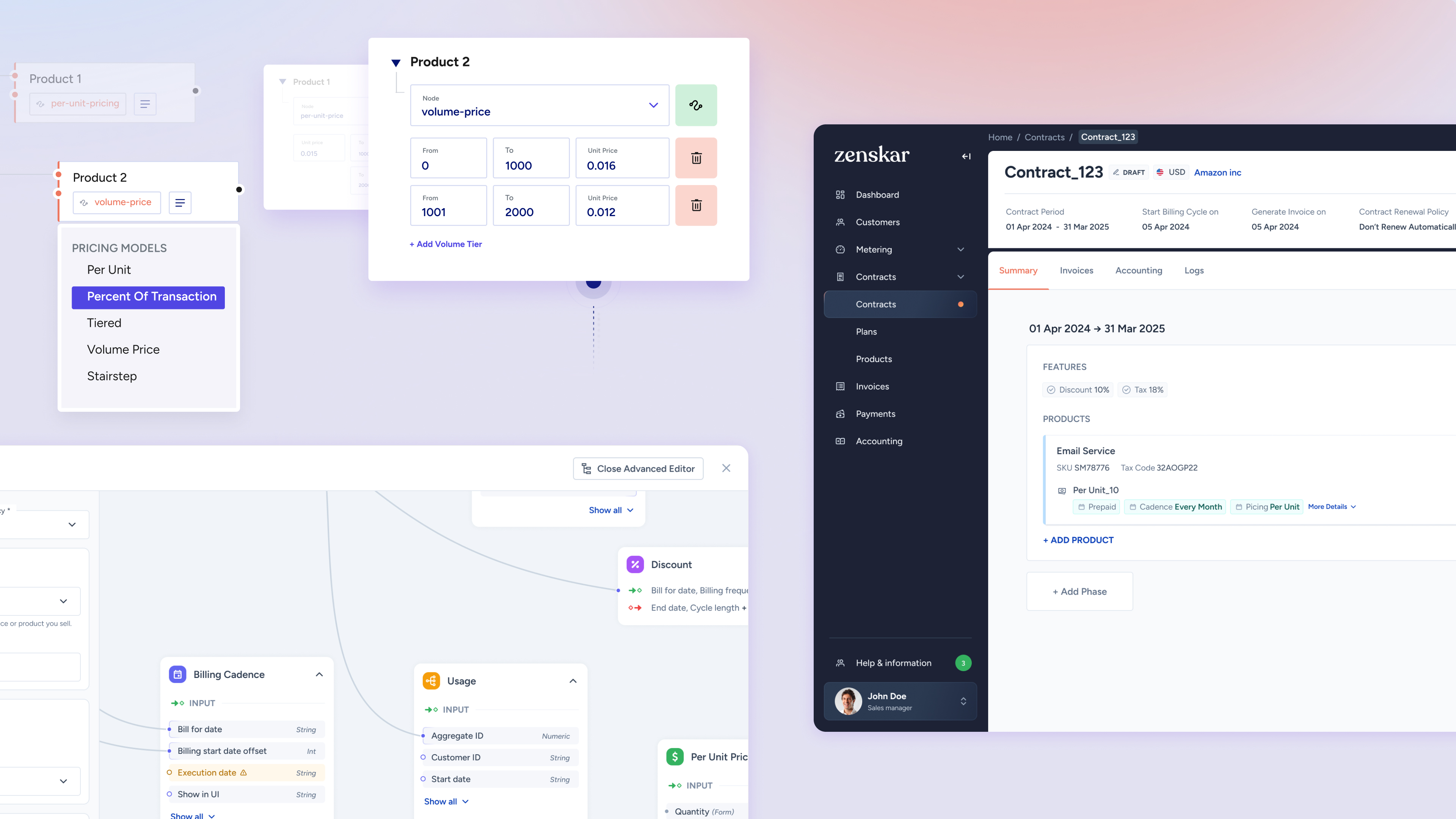
Zenskar's growth was sales-led, with about 40 demos happening every week. The sales team tagged the design team for qualified prospects, which meant we were learning directly from potential customers what was working and what wasn't. Each enterprise customer had their own dedicated Slack channel for feedback and communication.
The problem was structural: pilot users received sandbox access with dummy data and then were largely left to figure it out. Usability issues were stacking up, new customer requirements kept coming in, and the roadmap had ambitious features that couldn't land without a better foundation.
My job was to find the patterns beneath the noise and redesign the product around the user's actual mental model, not the system's internal data model.
Zenskar's primary users are sales representatives and accountants at companies selling usage-based services. Both share one primary goal: automatically generate correct invoices at scale. Everything else is a means to that end.
Sets up products, creates contracts, negotiates pricing.
Knows the customer's contract inside out. Lives in 40-minute discovery calls and three-month pilots. The product is a tool to win the next deal.
Verifies billing, approves invoices before they reach customers.
Sensitive to ambiguity in numbers. Won't sign off on an invoice they can't trace. Their job is to be the last person who saw it before it left the building.
Discovery surfaced one big symptom (pilots not generating a first invoice) and four root causes. The redesign had to address all four, in order.
Pilot users got sandbox access with dummy data but spent hours in documentation before touching the product. Many lost interest before creating a first invoice.
The same API sold at $0.10/min to one client and $0.20/min to another, but there was no mechanism to reuse a product with different pricing. Users duplicated products instead.
Complex contracts gave users no feedback while building. They couldn't see what an invoice would look like until after publishing.
The advanced price editor was powerful but nearly unusable for non-engineers. Flexibility existed but was locked away from the people who needed it.
Most confusion came from a mismatch between how users thought about billing and how the system worked internally. Before touching Figma, I built a conceptual model from the user's perspective and validated it with engineering.
One four-noun chain had to be visible throughout the product, not hidden in navigation or docs.
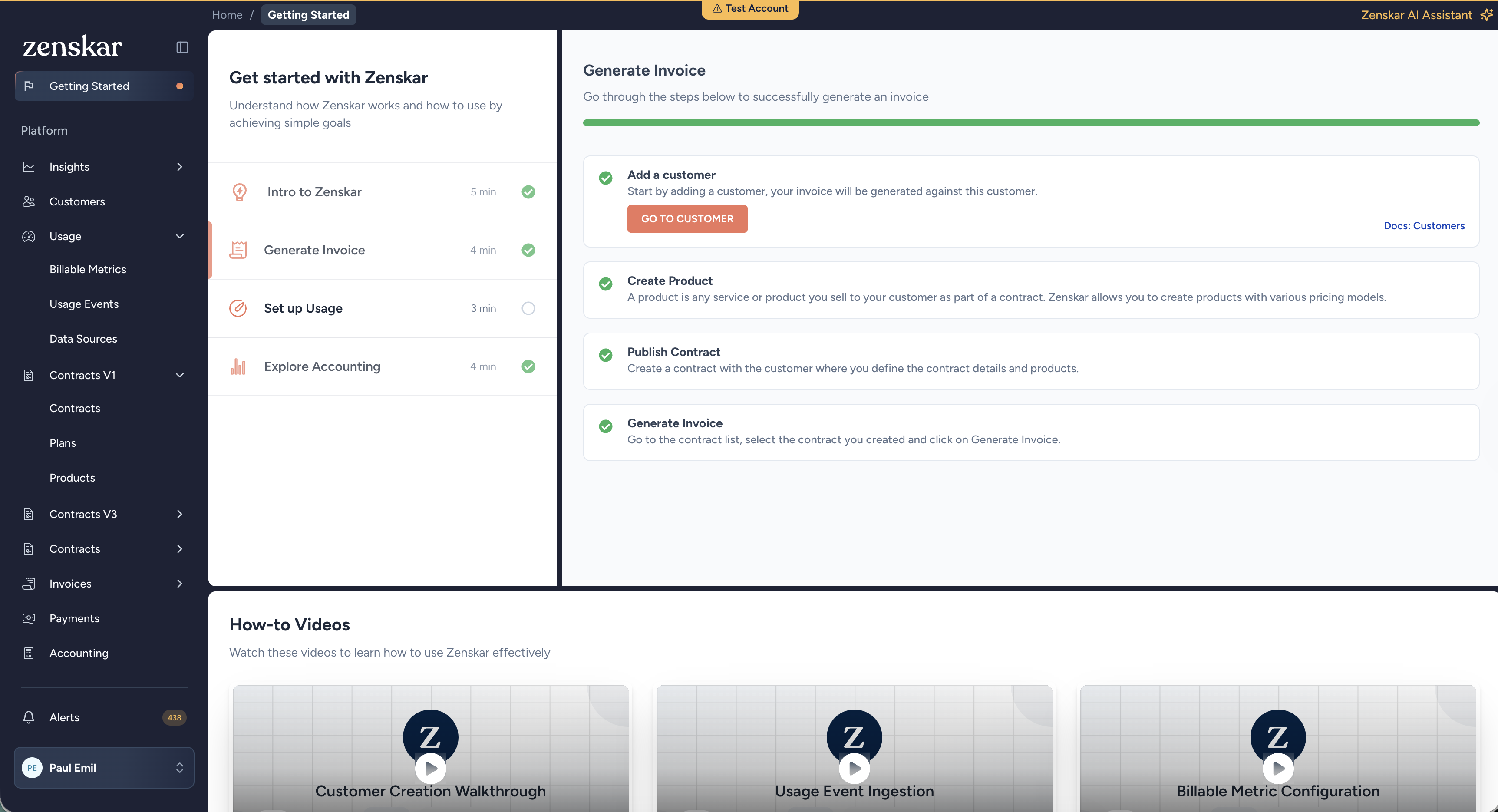
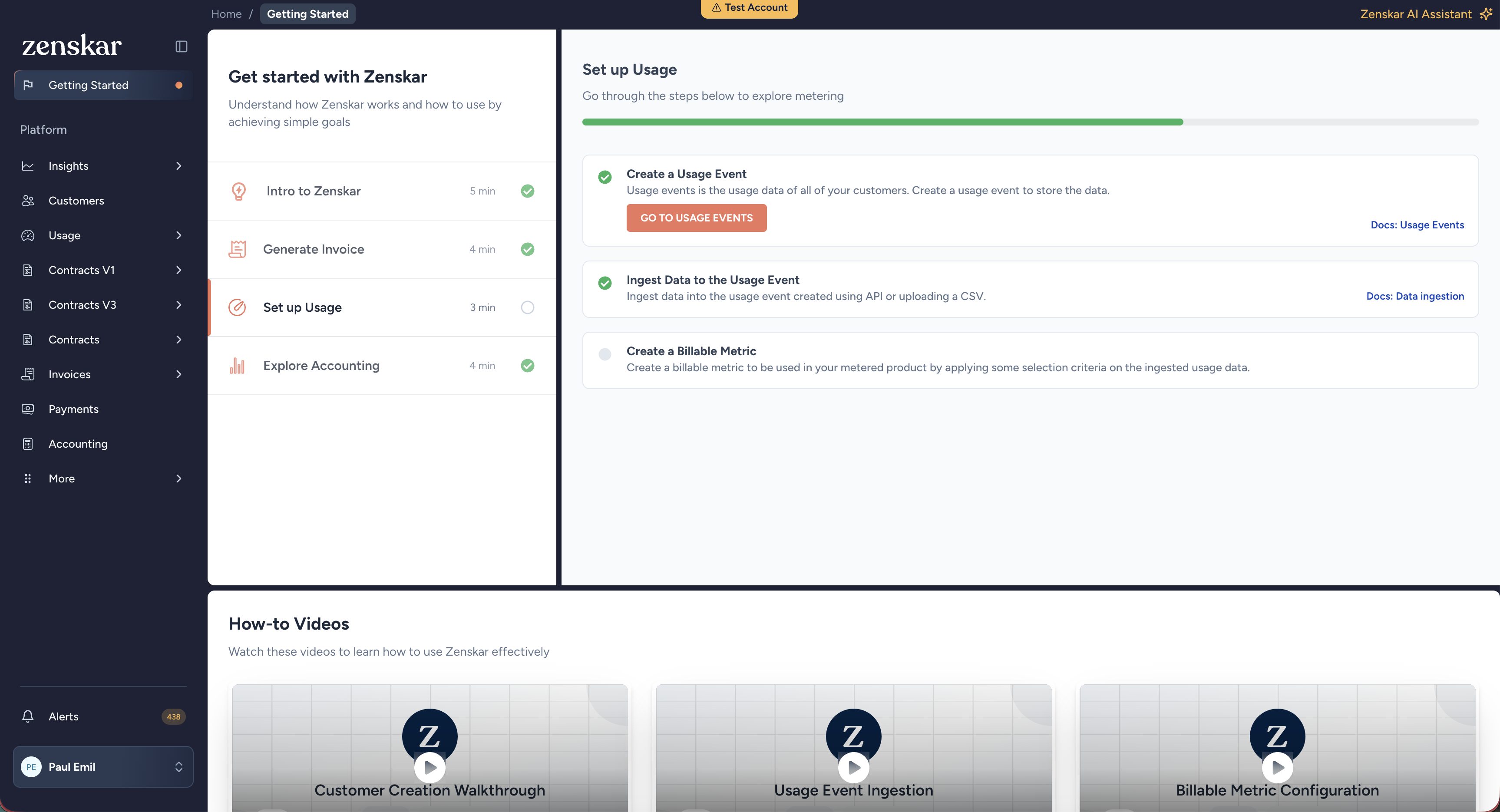
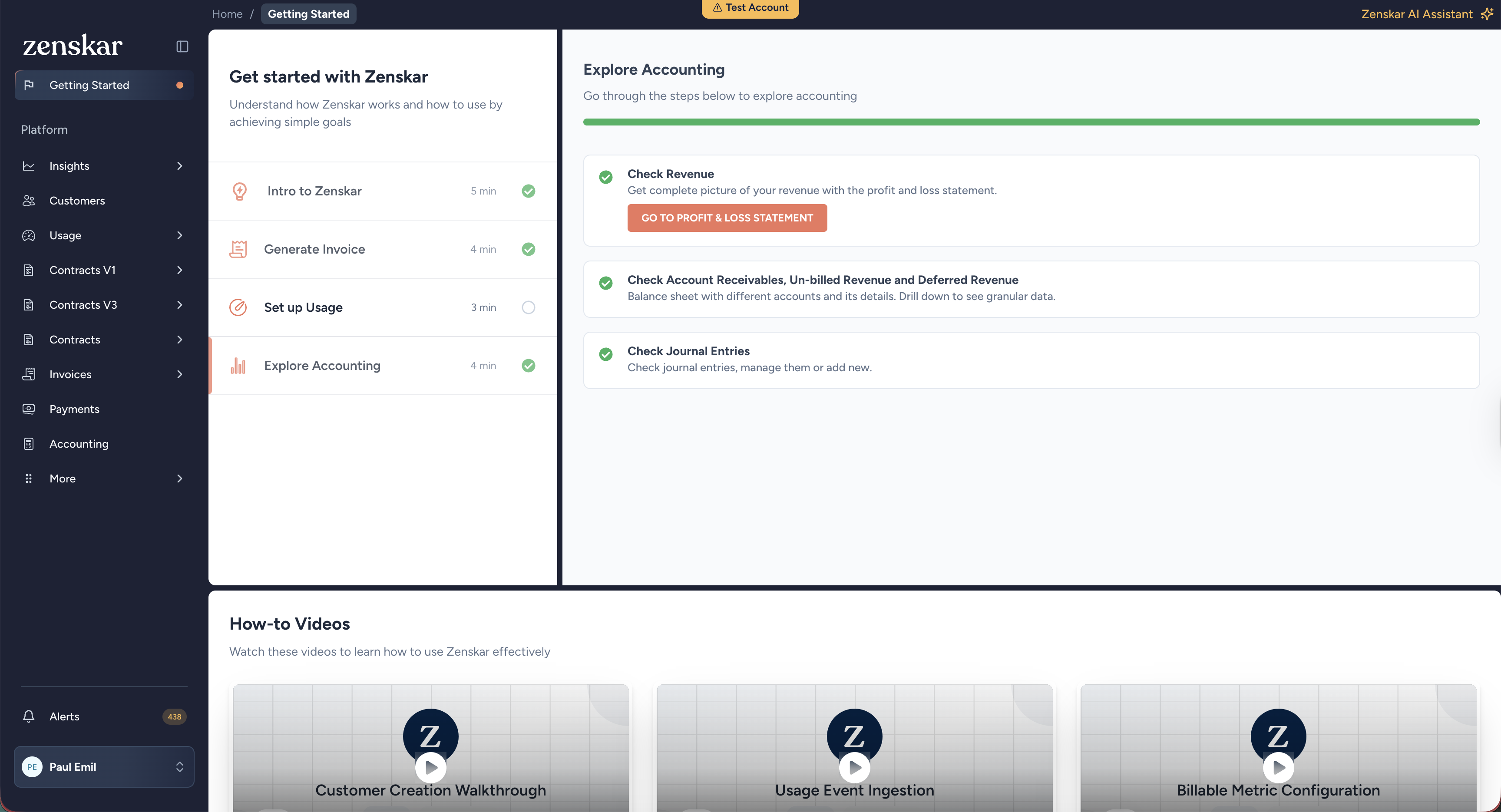
The conceptual model was the diagnosis. The Getting Started guide is the direct product-level response to Challenge 01, the documentation dependency killing pilot conversions. Rather than pointing users to external docs, we embedded a structured onboarding flow directly in the product.
5 min, 4 min, 3 min. Each step is small enough to feel achievable. Users see a checklist, not a learning curve.
Before touching anything, users can watch a short explanation of how Zenskar works. Conceptual understanding before controls.
Generate Invoice turns the conceptual chain into a sequence: Add customer, Create Product, Publish Contract, Generate Invoice.
The guide replaces the need to leave the product. Users orient without Slack, external docs, or a customer success call.
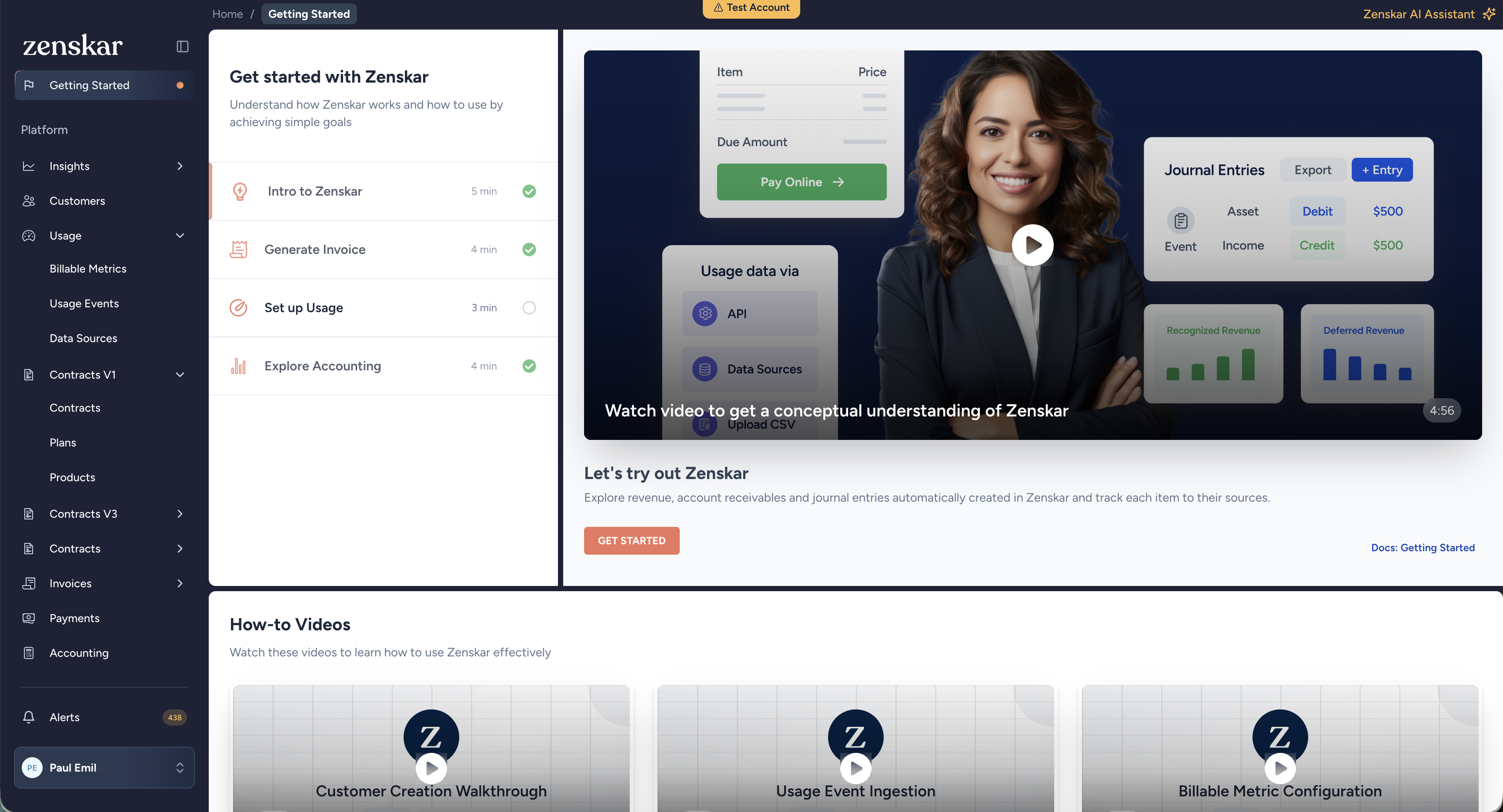
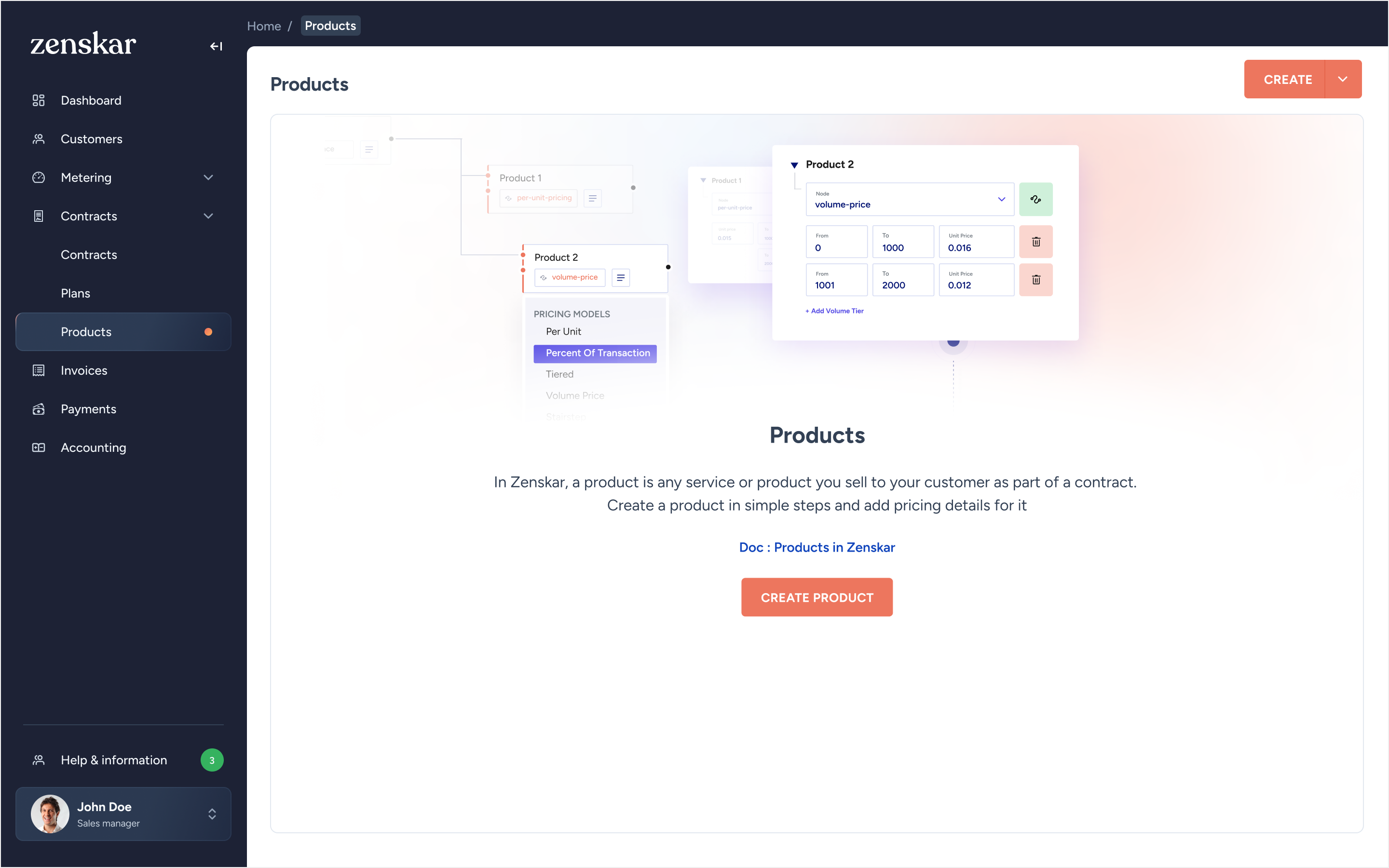
The first thing a new user sees is an empty product list. This was redesigned from a blank page with a "Create Product" button into an educational moment, explaining what a product is, what it's used for, and how it connects to generating invoices.
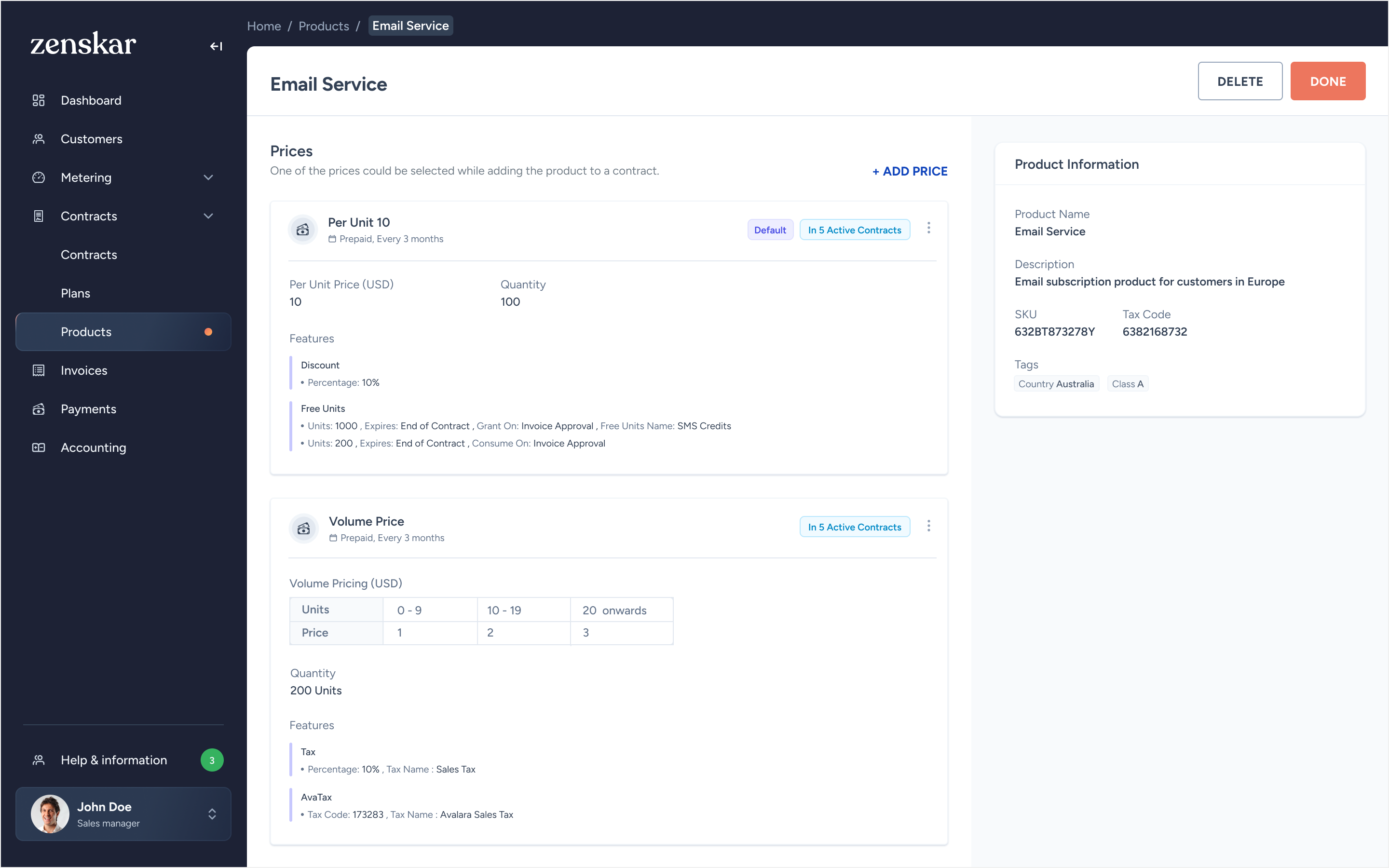
The most important insight came from watching real users: people were creating duplicate products just to have different pricing for different customers. I introduced Prices as a first-class concept within a Product. One product, multiple pricing instances. No duplication.
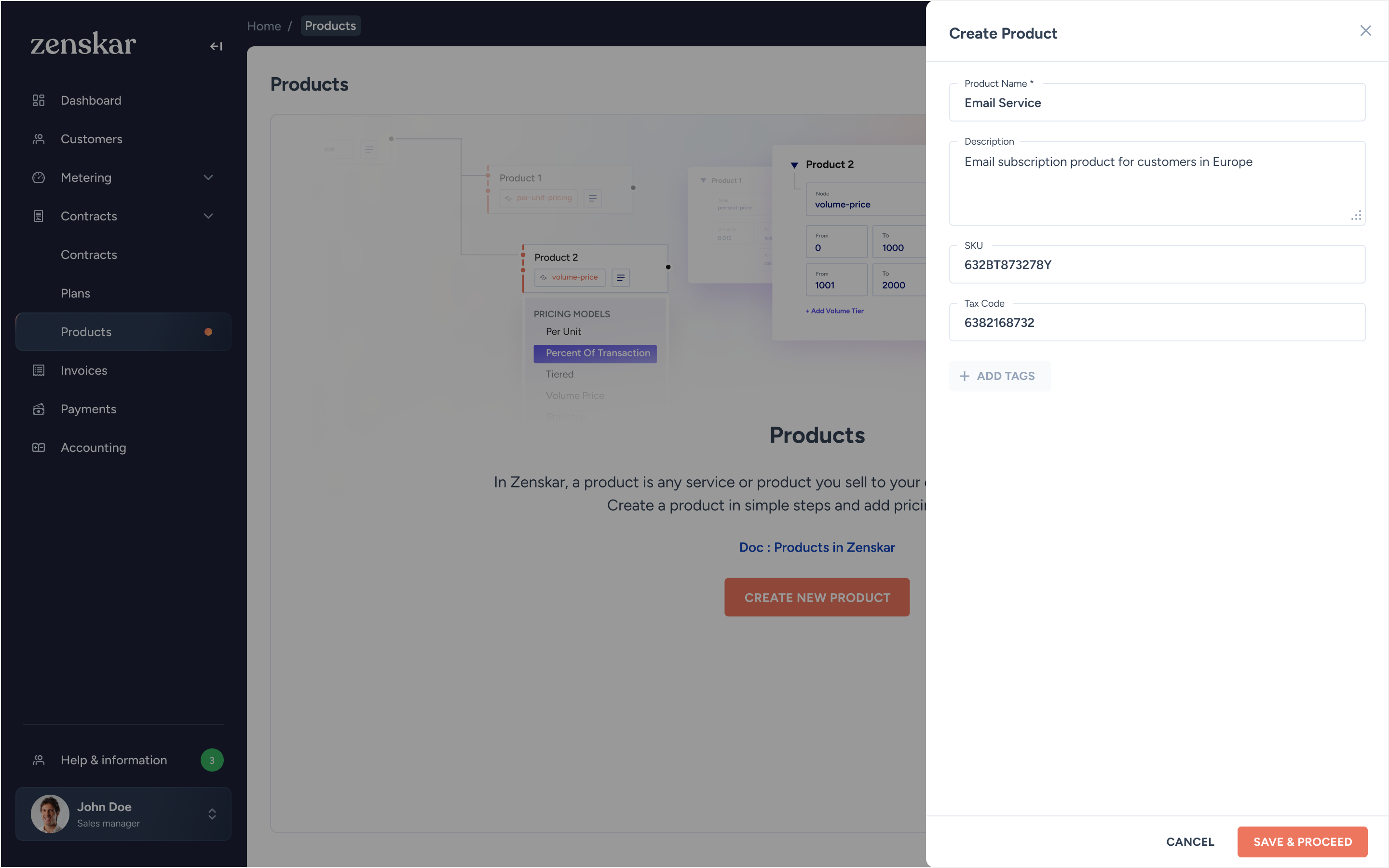
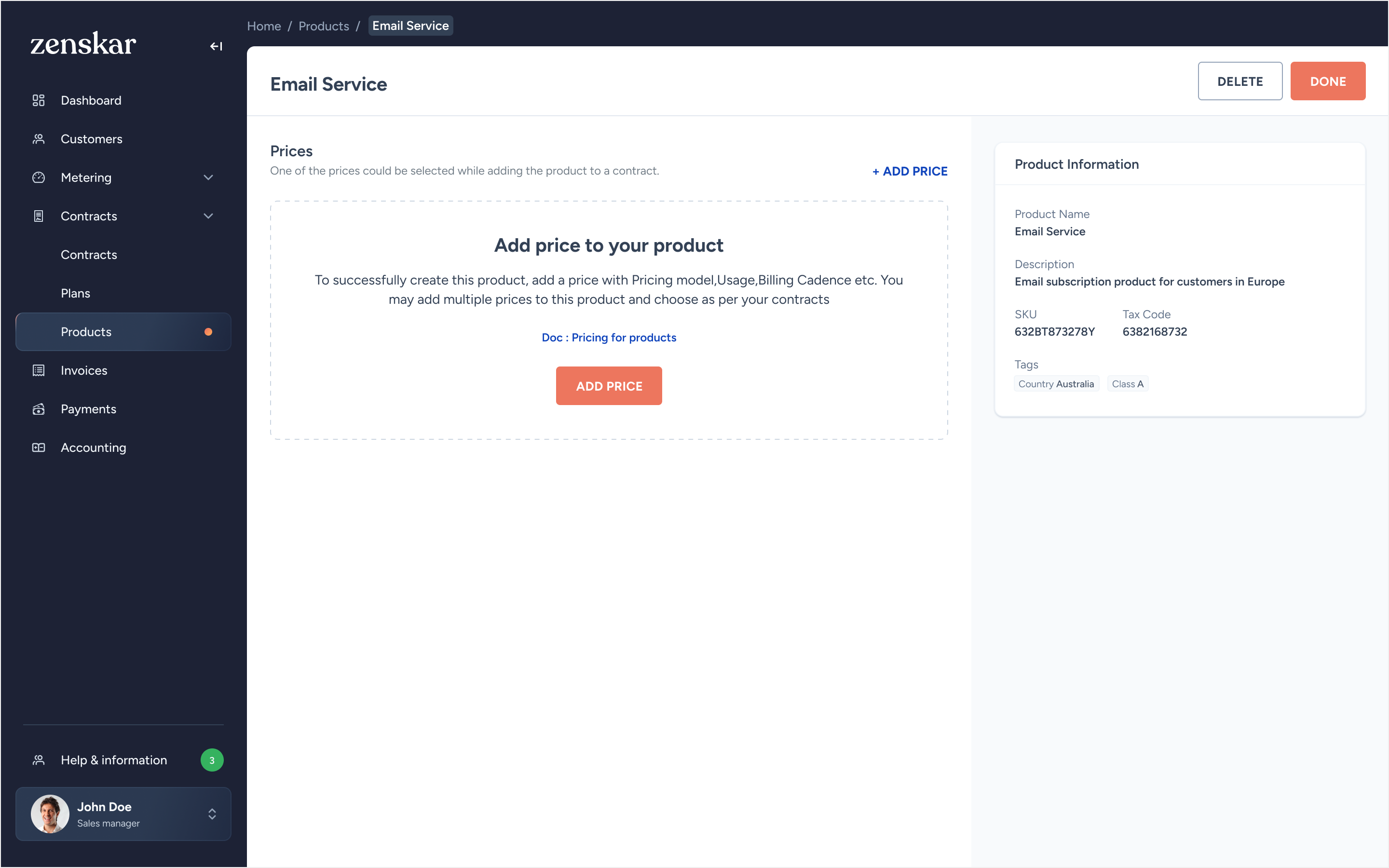
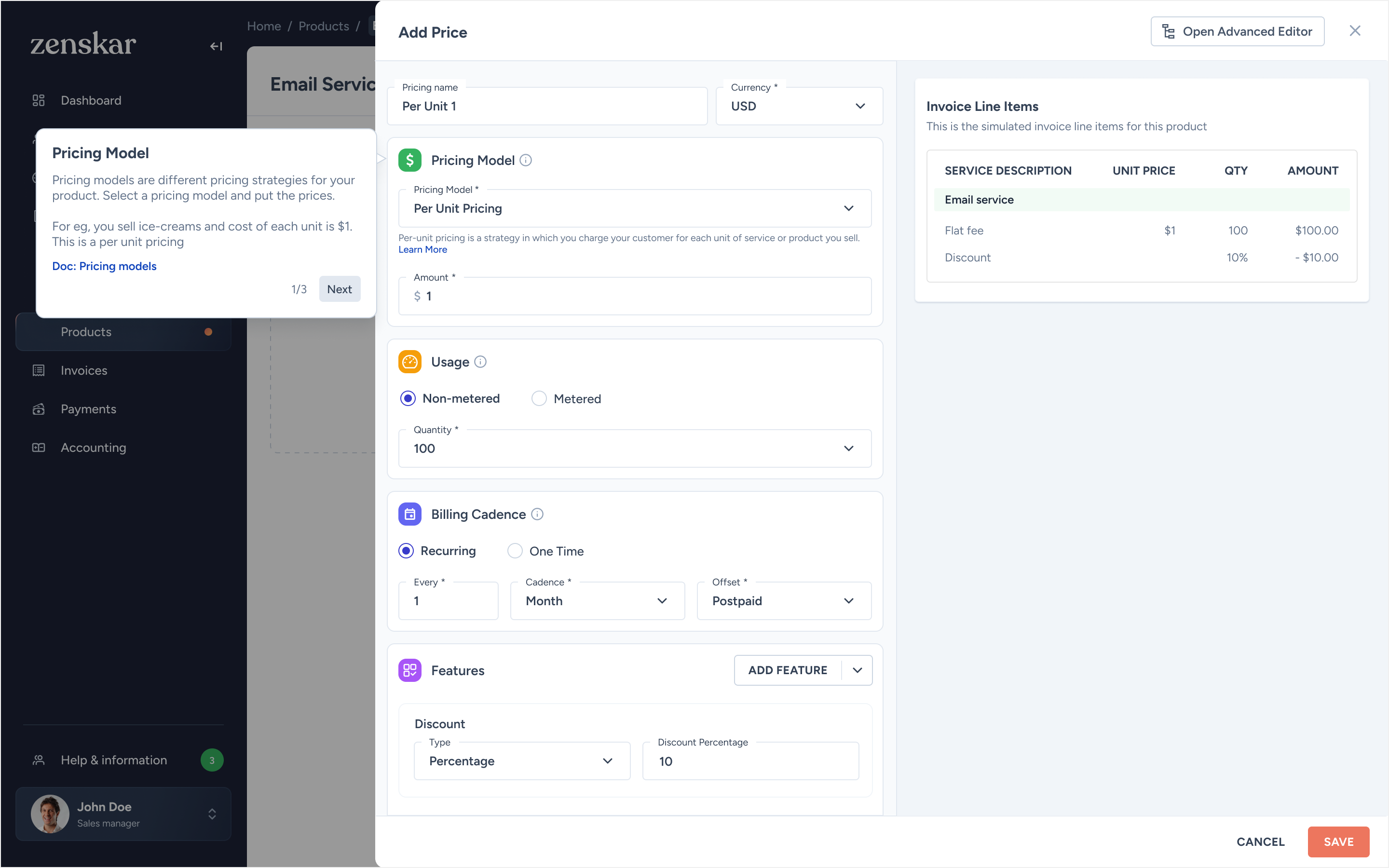
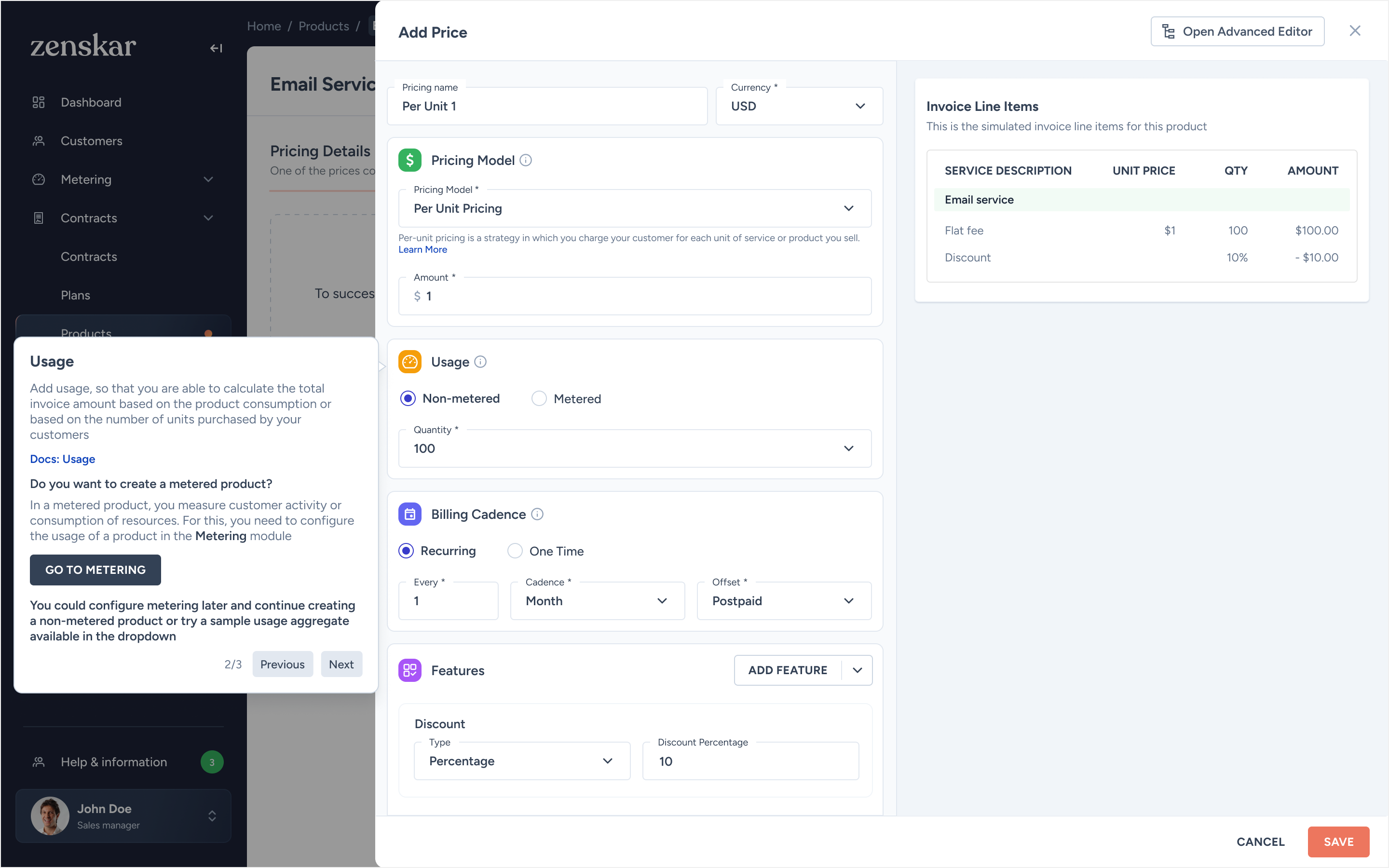
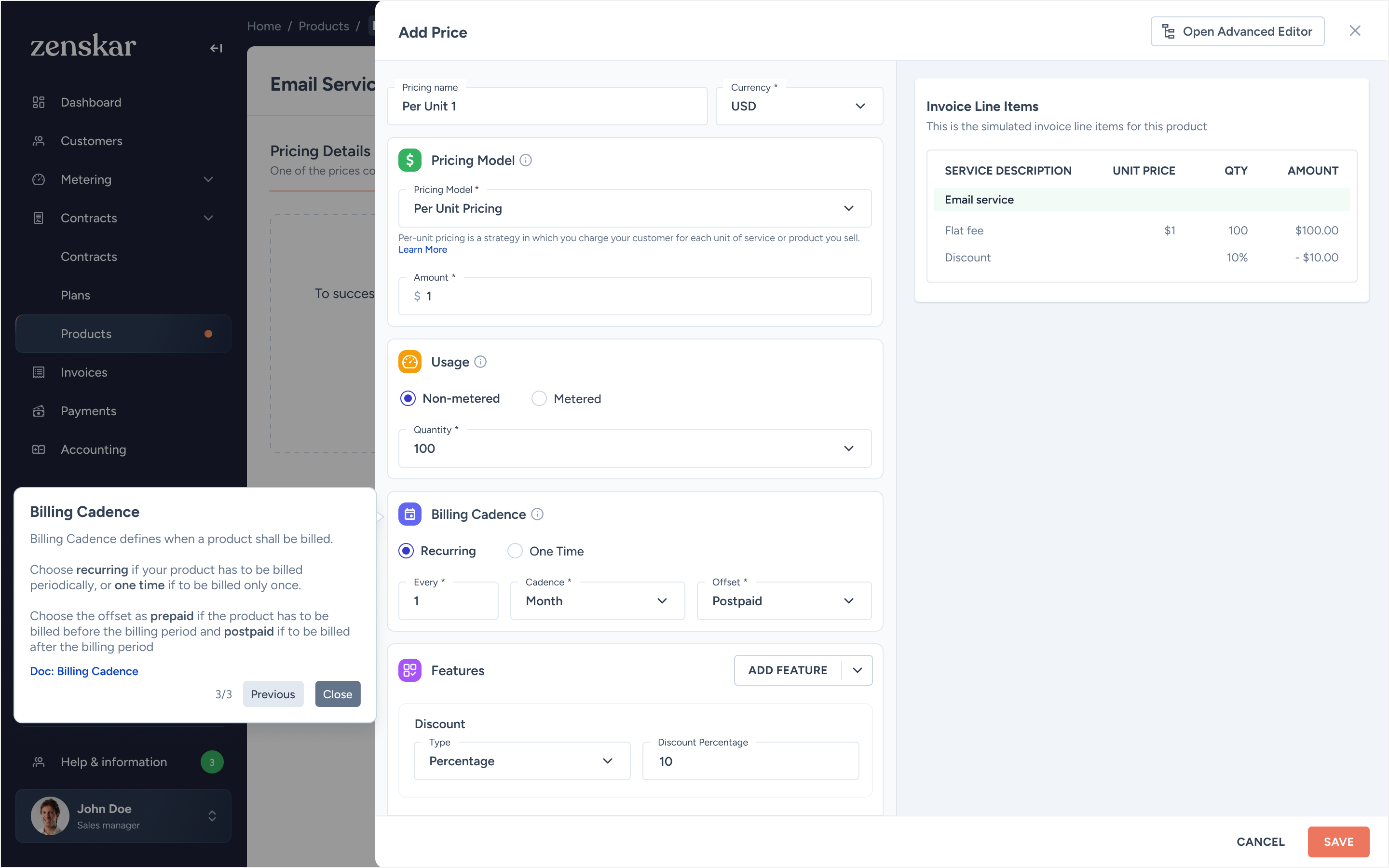
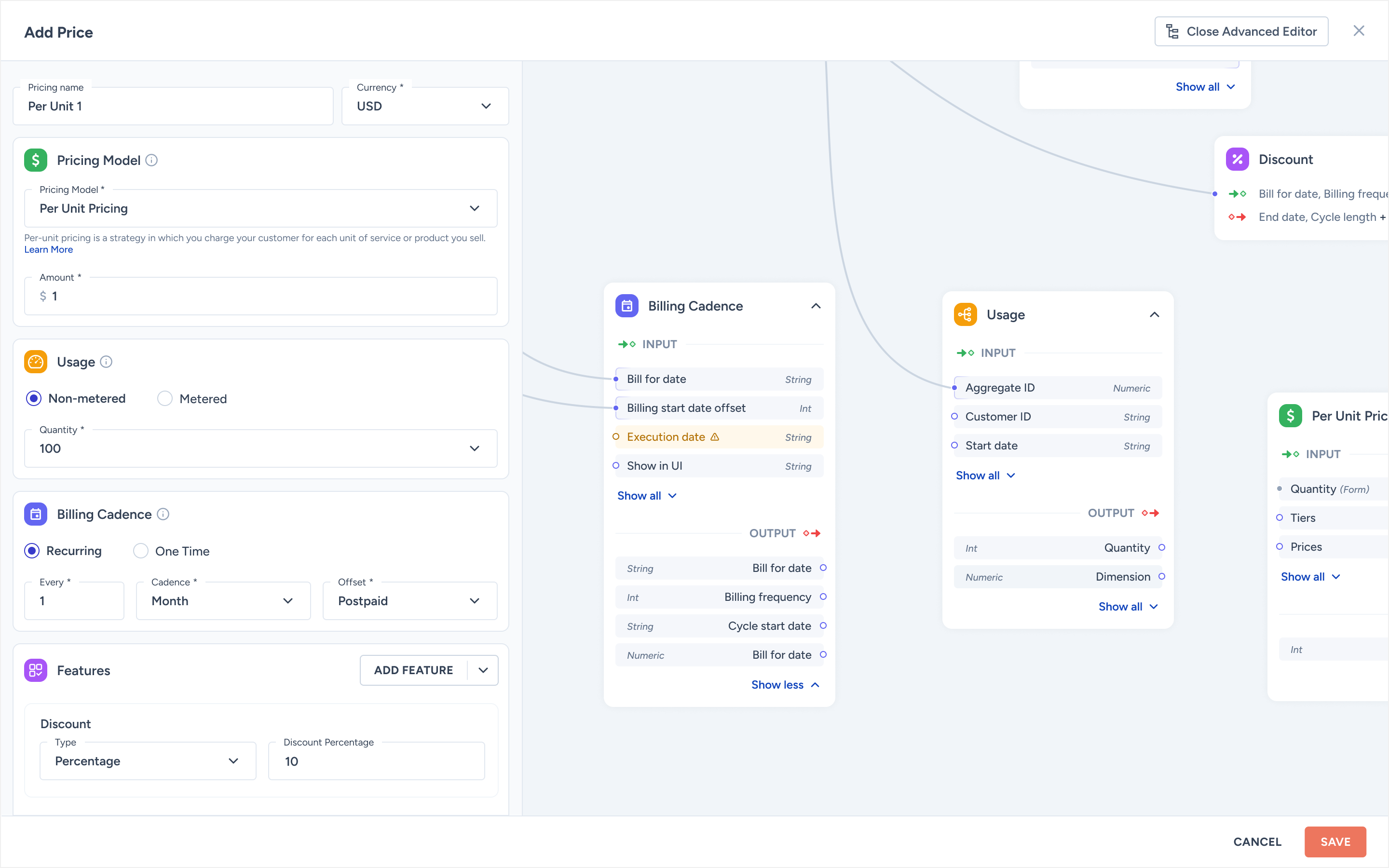
Pricing gets complex fast: flat fee, per-unit, tiered, volume, matrix. Combined with billing cycles, free credits, discounts, and minimum commitments, the configuration space is enormous. Four principles guided the solution.
Data inputs grouped by meaning (rate, billing, discounts), not stacked in one long form.
First-time users get a guided tour. The info icon makes it re-accessible anytime, even months later.
As config is entered, a live invoice preview updates. Users see the output before they commit.
Usage-based products require metering. Price creation becomes a natural introduction to that module.
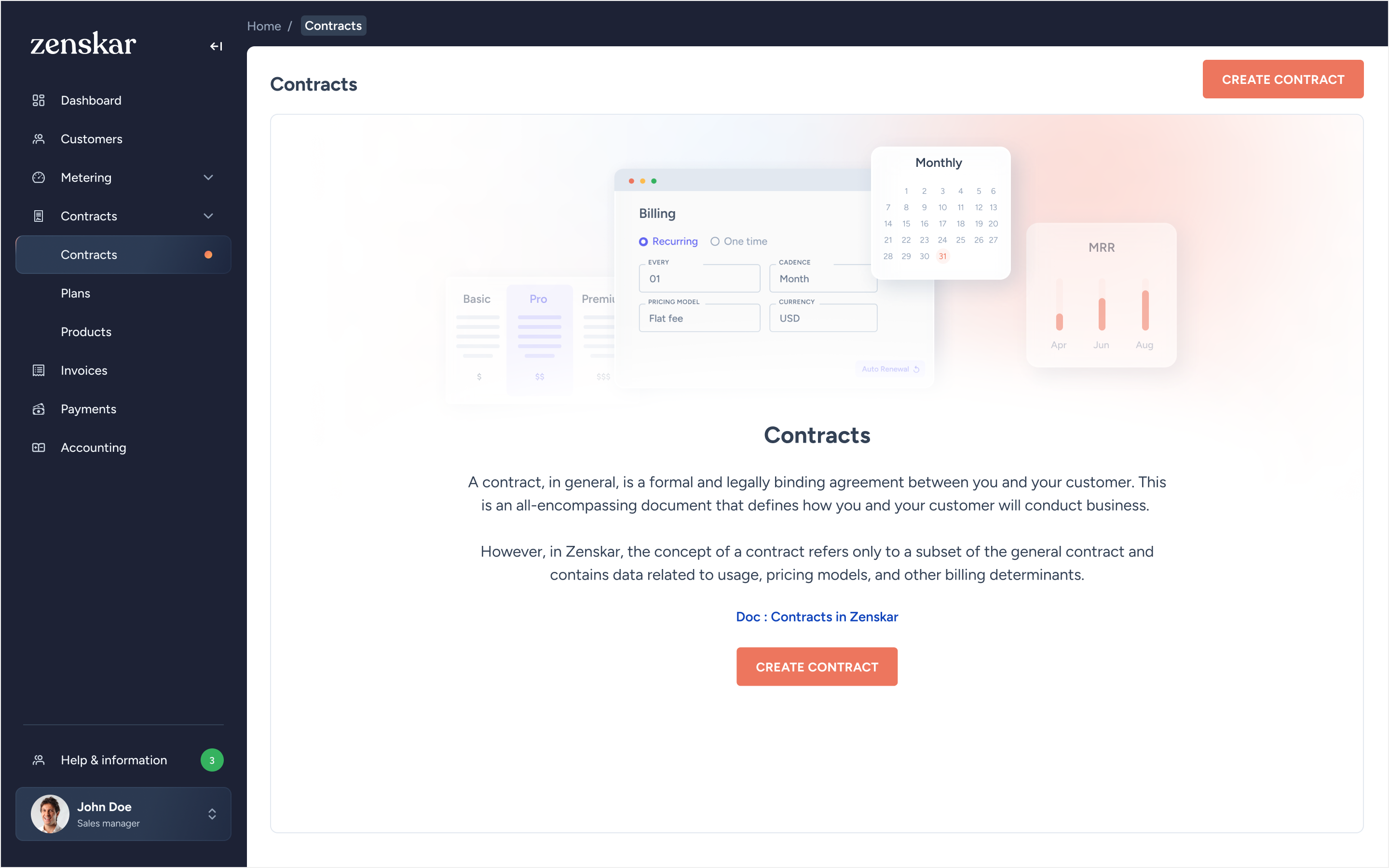
A contract in the legal sense is a broad document. In Zenskar, it has a more specific meaning: the subset of agreement data related to usage, pricing models, and billing terms. This had to be made explicit in the UI, otherwise users conflated it with their actual legal contracts.
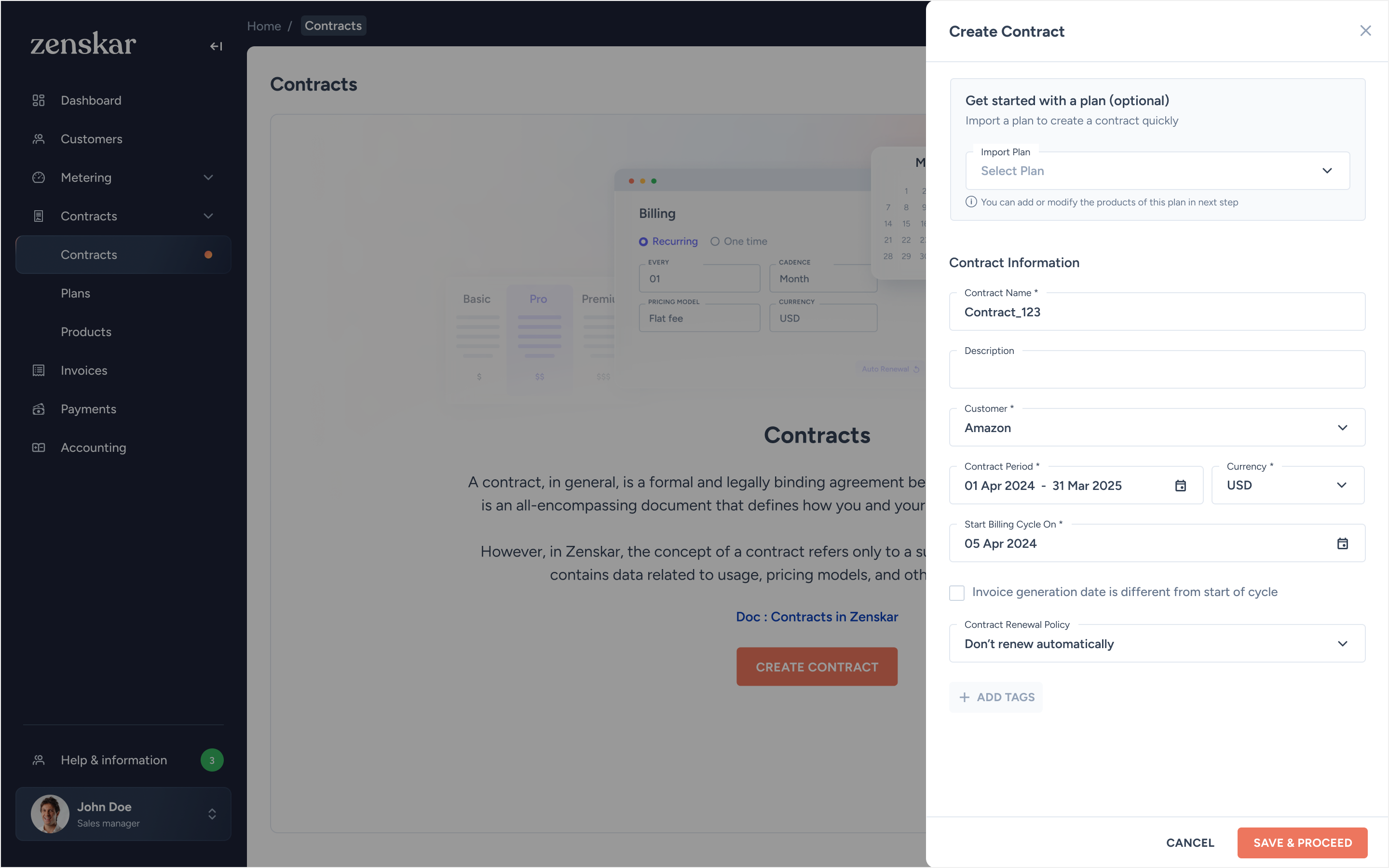
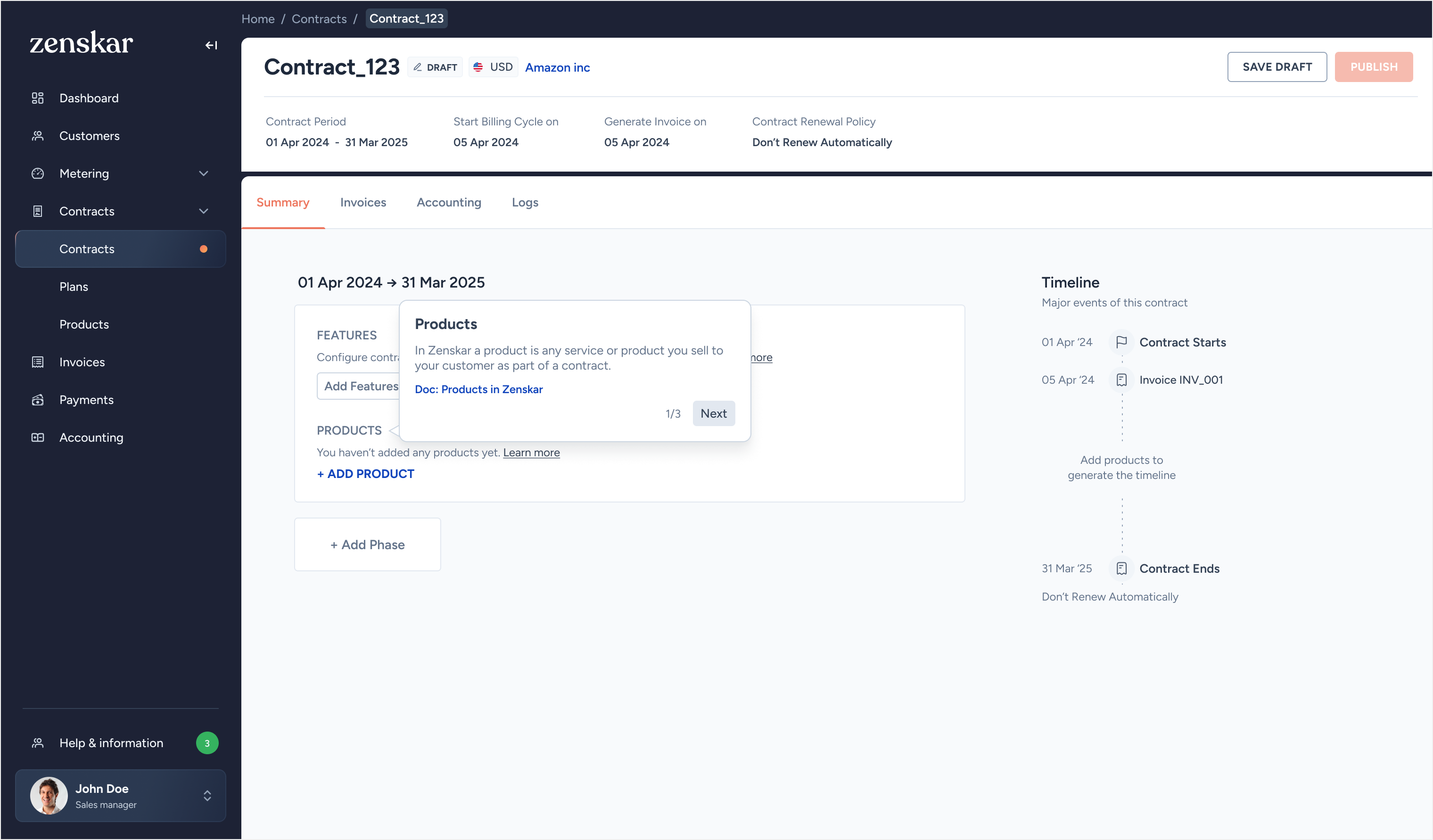
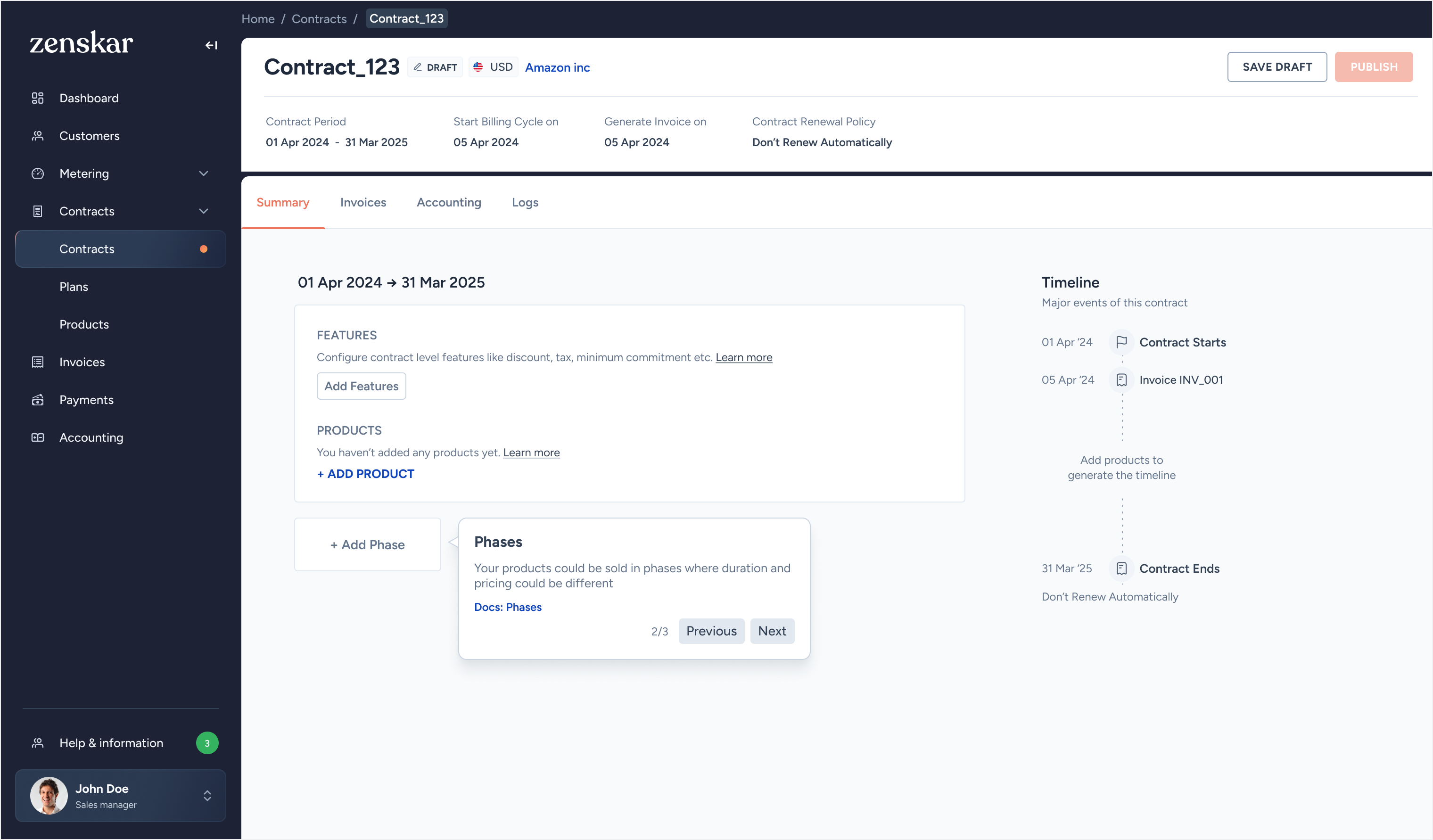
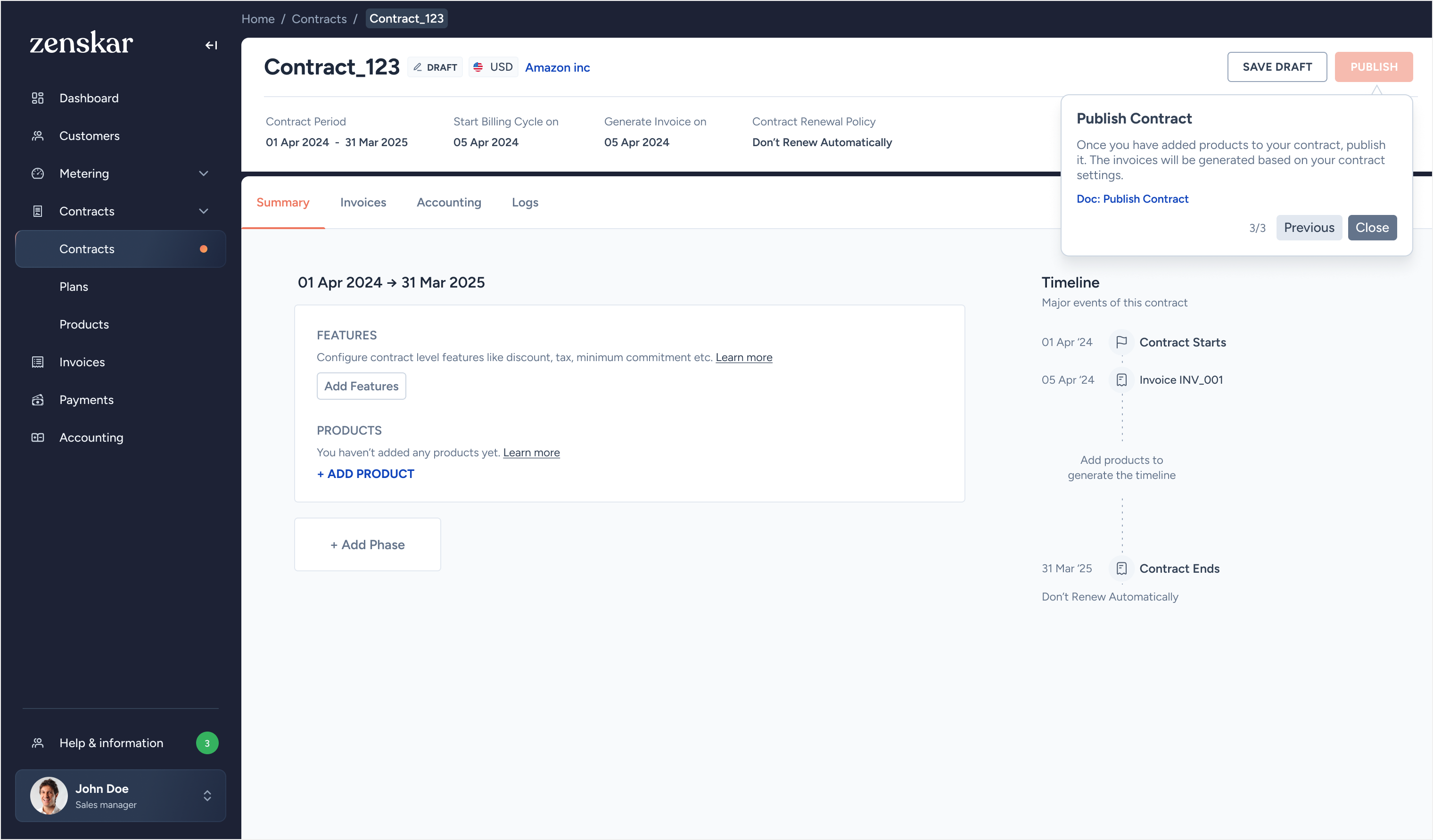
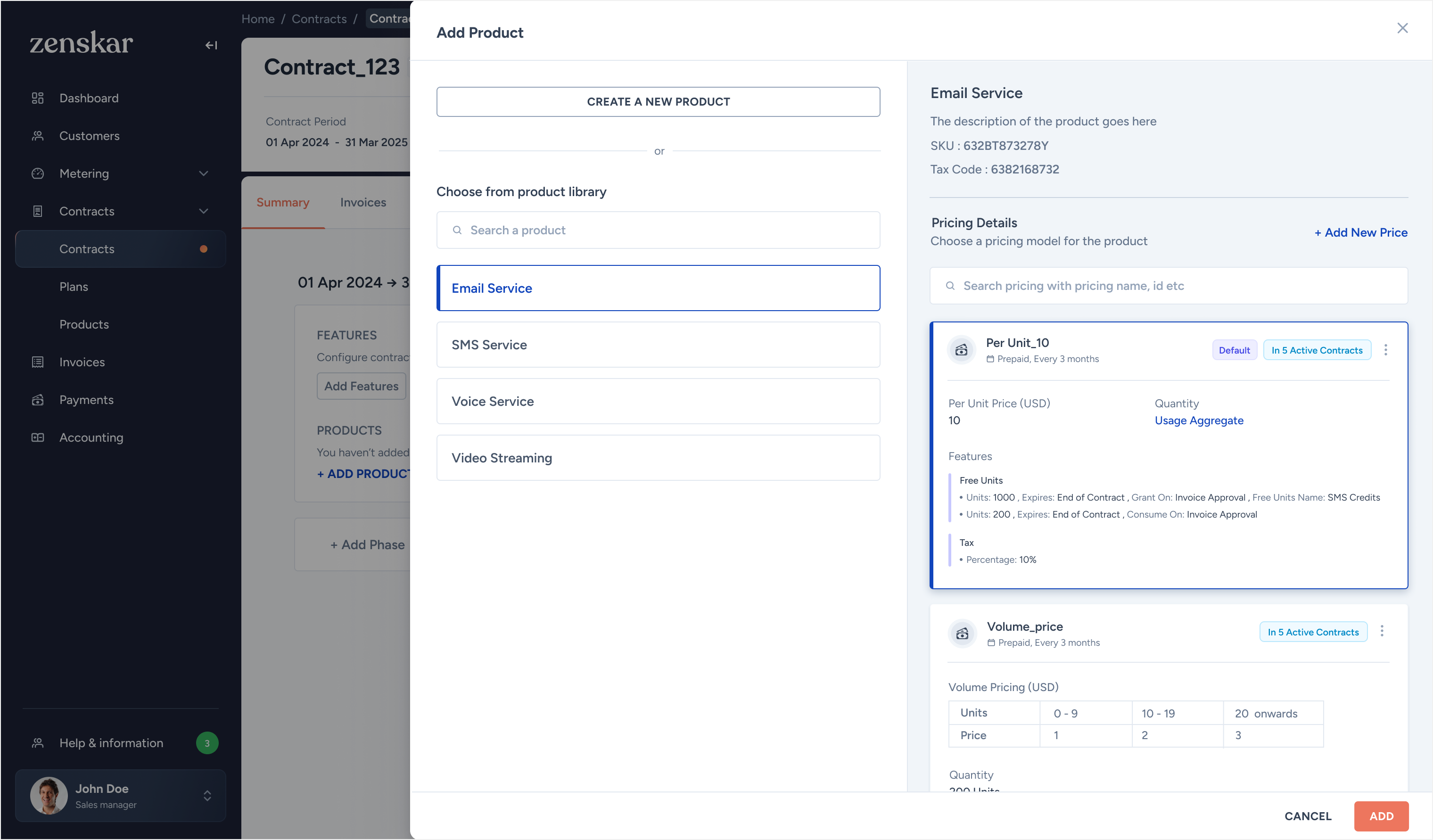
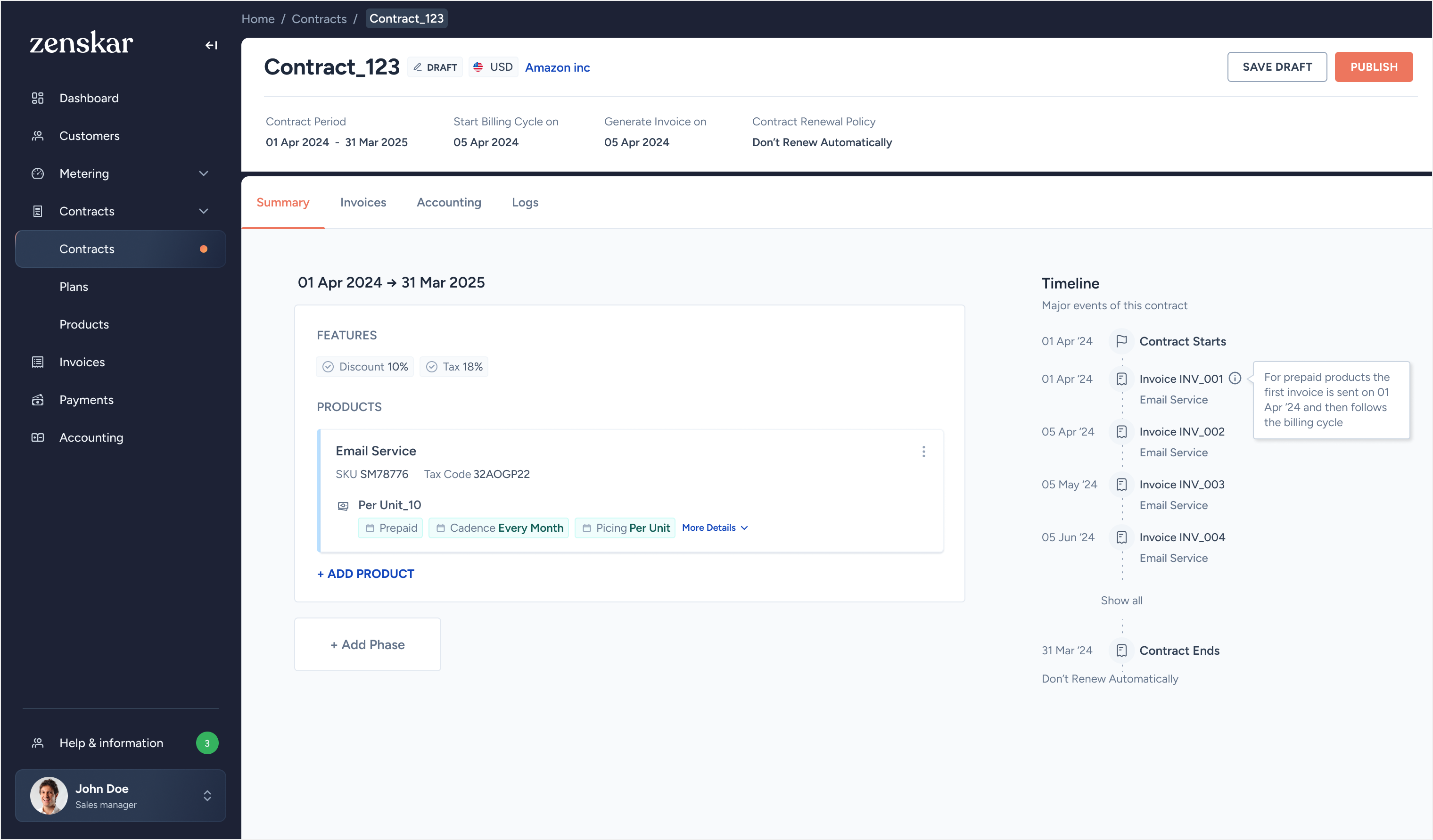
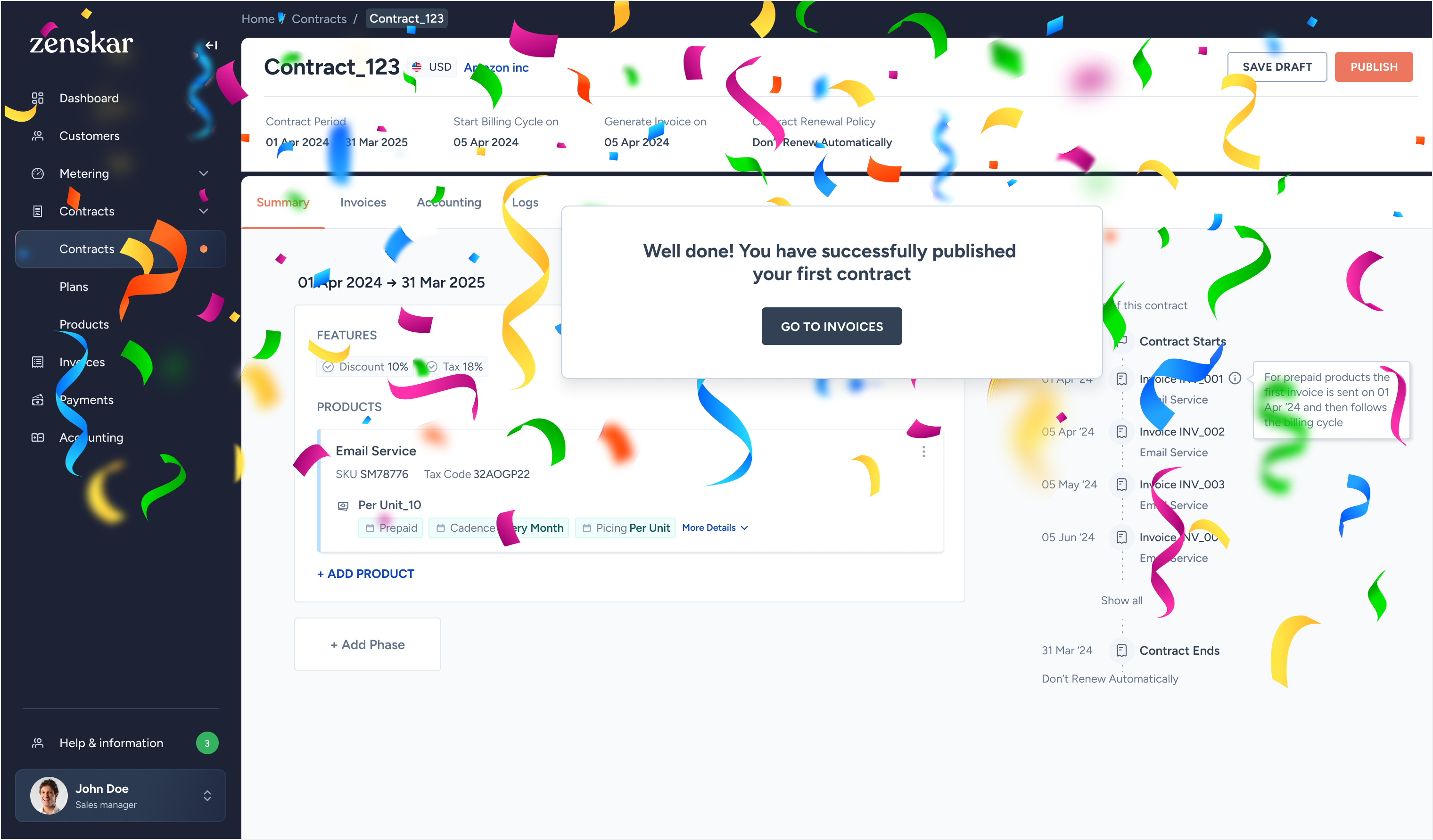
The biggest pain: users couldn't see what a contract would produce until after they published it. Once products are added to a contract, a live timeline generates automatically, showing when each invoice will fire and for how much. Try it below.
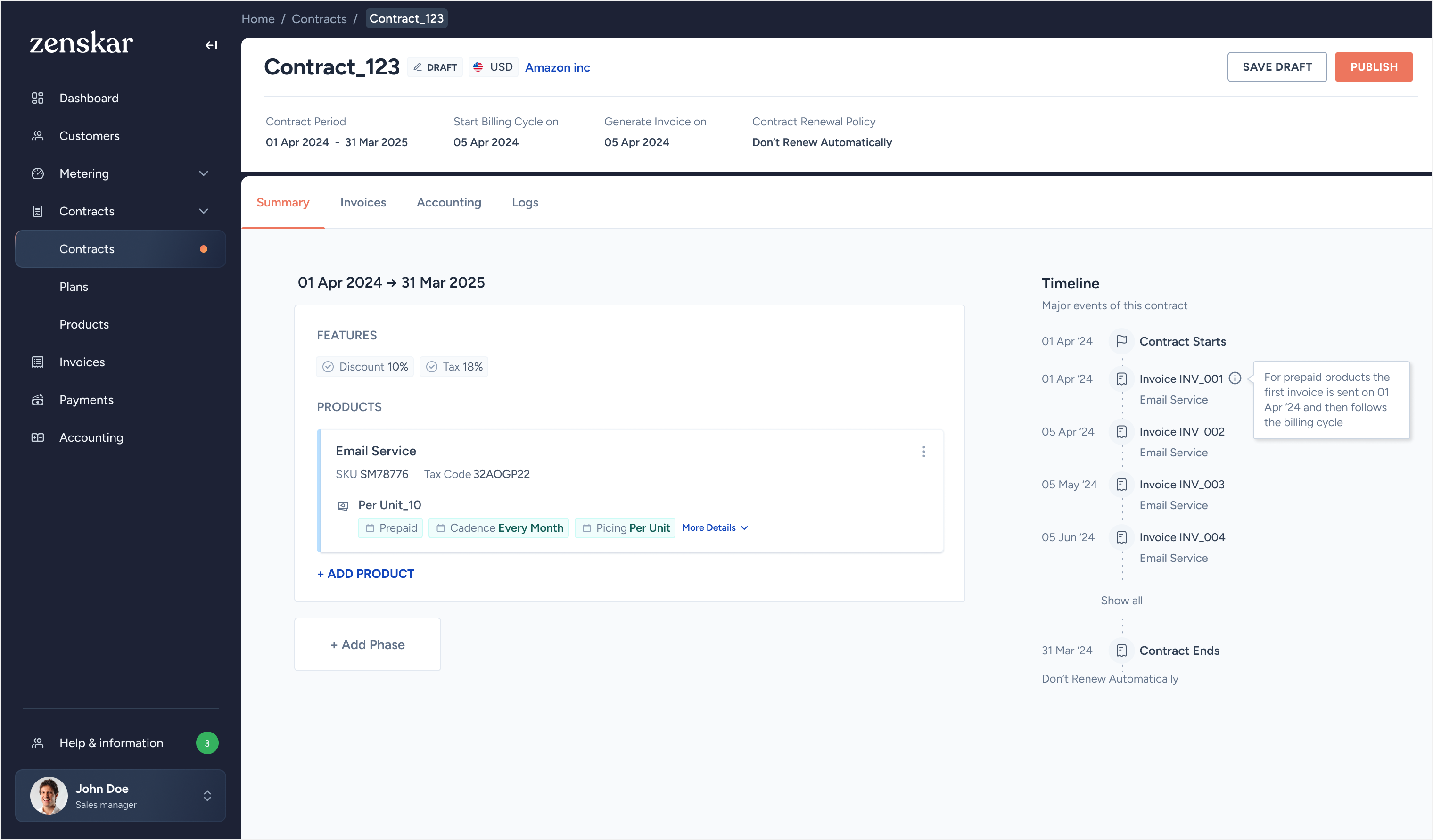
The billing cadence is finally something I can show to a customer without needing to explain what everything means first.
Simple mode is the default, a flat form covering around 80% of cases. Advanced mode activates automatically the moment any attribute gets a second version. No toggle. No settings to find. Delete the second version and the interface returns to simple.
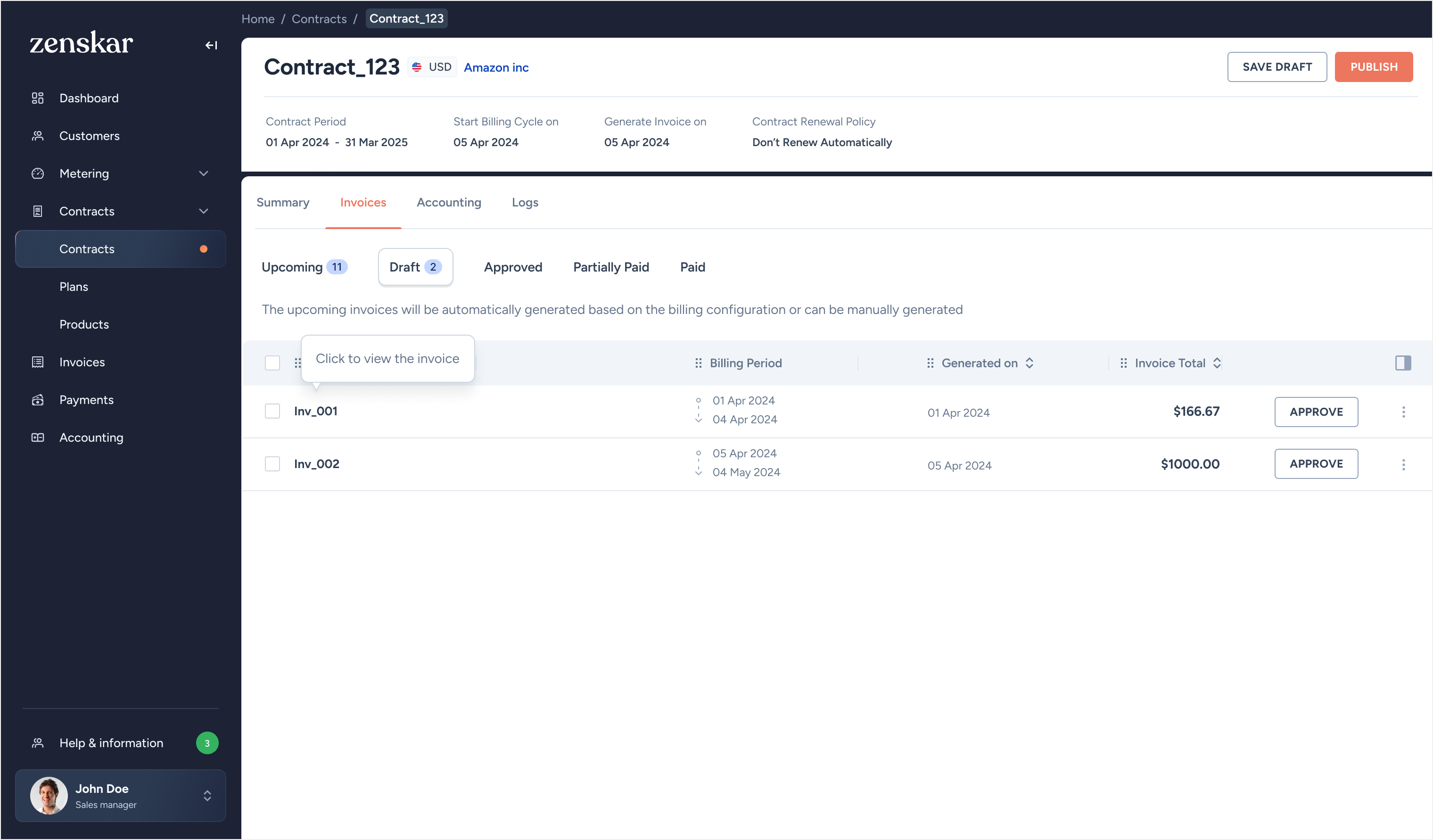
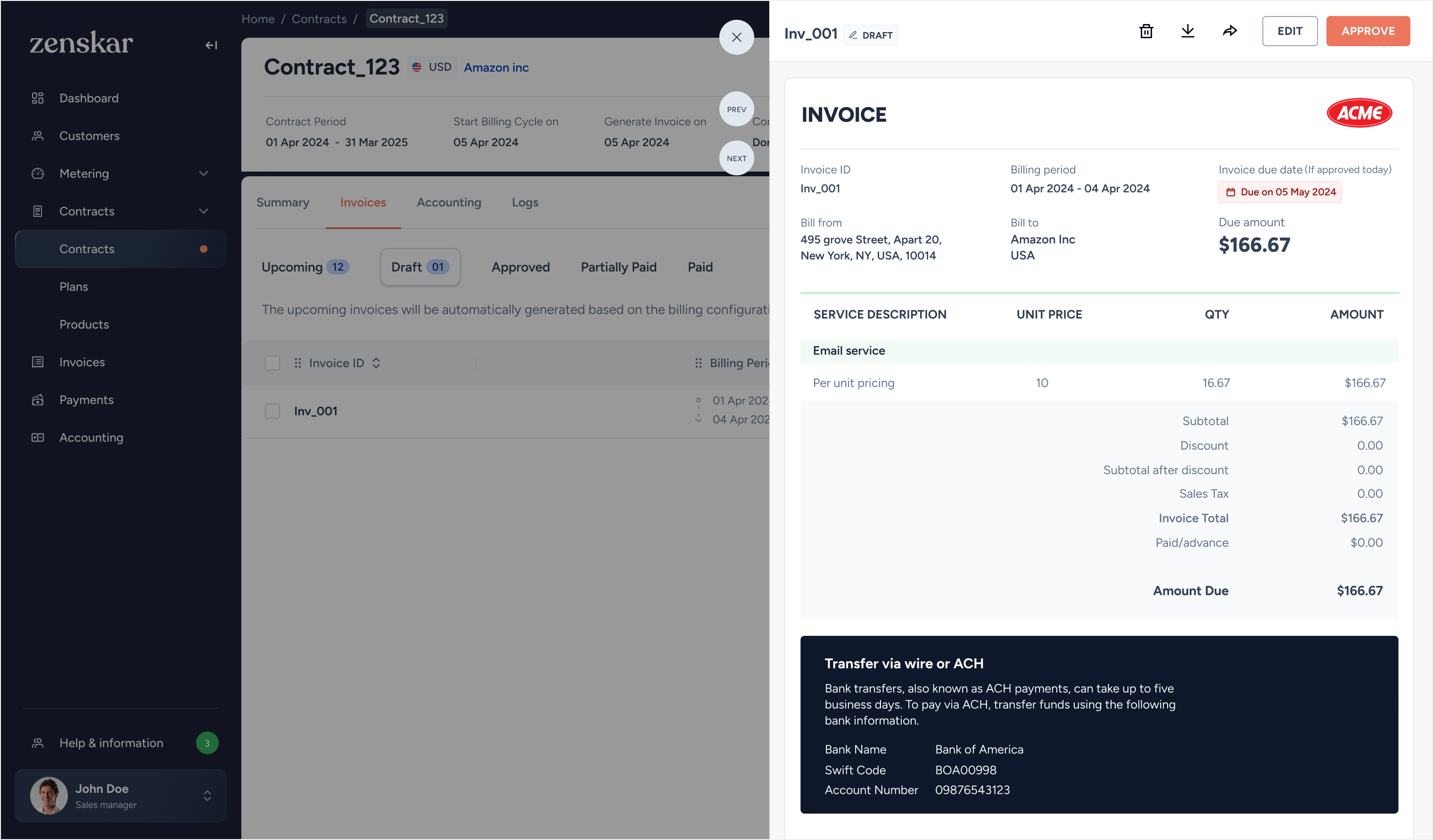
A reactive, card-based layout showing each future invoice as it will appear to the customer. Quantities are editable inline on upcoming invoices. Amounts recalculate in real time as configuration changes. New line items are explicitly flagged. Drag the sliders.
The redesign was released to existing customers in phases. Feedback was excellent and two insights immediately shaped the next release cycle.
Users navigate repeatedly between a customer and their contracts. A customer-level revenue view (revenue to date, active contracts, upcoming invoices) became the natural next build.
Multiple users working on the same contract were missing each other's changes. A collaboration layer with change tracking is planned for the next release.
Demos supported by a self-explanatory product.
New roadmap directions surfaced by usage patterns.
Pilot drop-off and documentation dependency.
Zenskar is an ongoing engagement. The advanced price editor and accounting integrations are covered in a separate study.
Platform redesign across three modules for a top-3 US wealth manager. Beta in 3 months. Studio acqui-hired.
Read case study →Founder & lead designer for 40+ B2B clients. Acqui-hired on a three-year contract.
Read case study →I'm taking one new engagement starting Q3 2026. Series A or post-pre-seed, B2B, AI-native preferred. Open to founding hire, design partner, or a six-month "ship the second version" contract.